Built by ISP engineers for real ISP networks

Power Continuity
as a Managed Service

Get a managed power service with NMS monitoring, mobile tools for technicians, battery visibility and support built on real ISP field practice.

  • Reduce unnecessary technician trips with remote status, alerts and port control.
  • PowerSentrix NMS gives one view of many UPS units across your sites.
  • Local web management and the BLE installer app are free. Central web and mobile NMS is a managed service.
  • PowerSentrix is provided as a monthly managed service.

Built from field practice · service-first model · hardware included

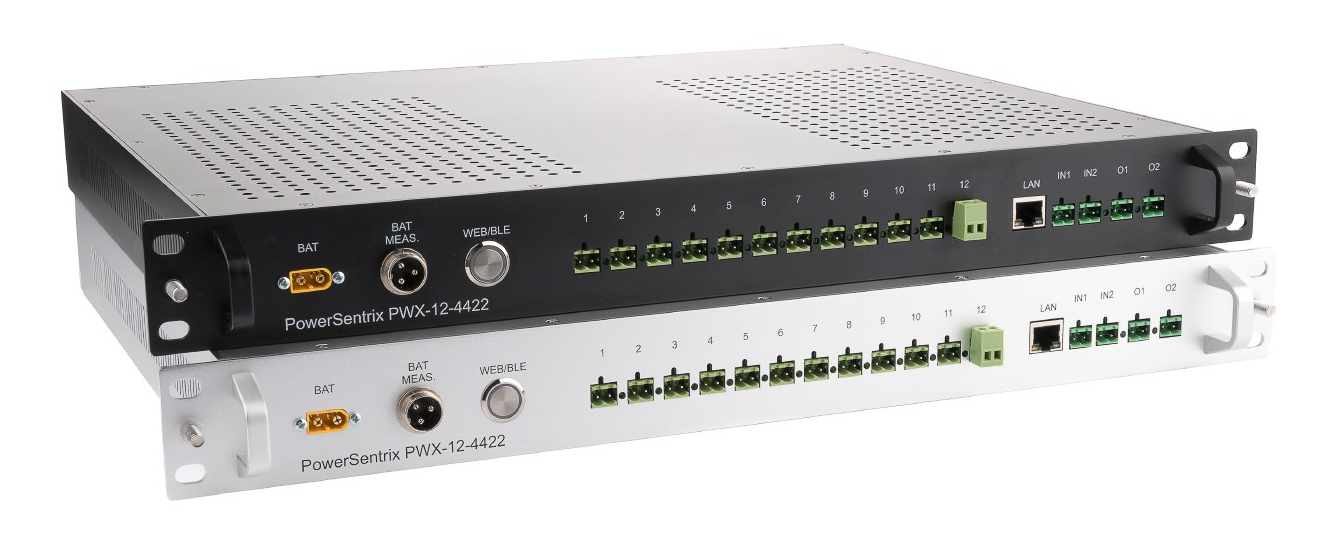
PowerSentrix PWX-12-4422 — black and silver versions
Service-ready
Only 49€ monthly
NMS service Rental option
24/7 managed monitoring
NMS central fleet view
BLE local installer mode
49 € monthly rental
Managed Service

One predictable monthly service for managed power continuity

If you operate fibre or wireless networks, you know what a technician trip costs. PowerSentrix is designed as a managed service that helps reduce unnecessary trips and gives you power visibility across your sites.

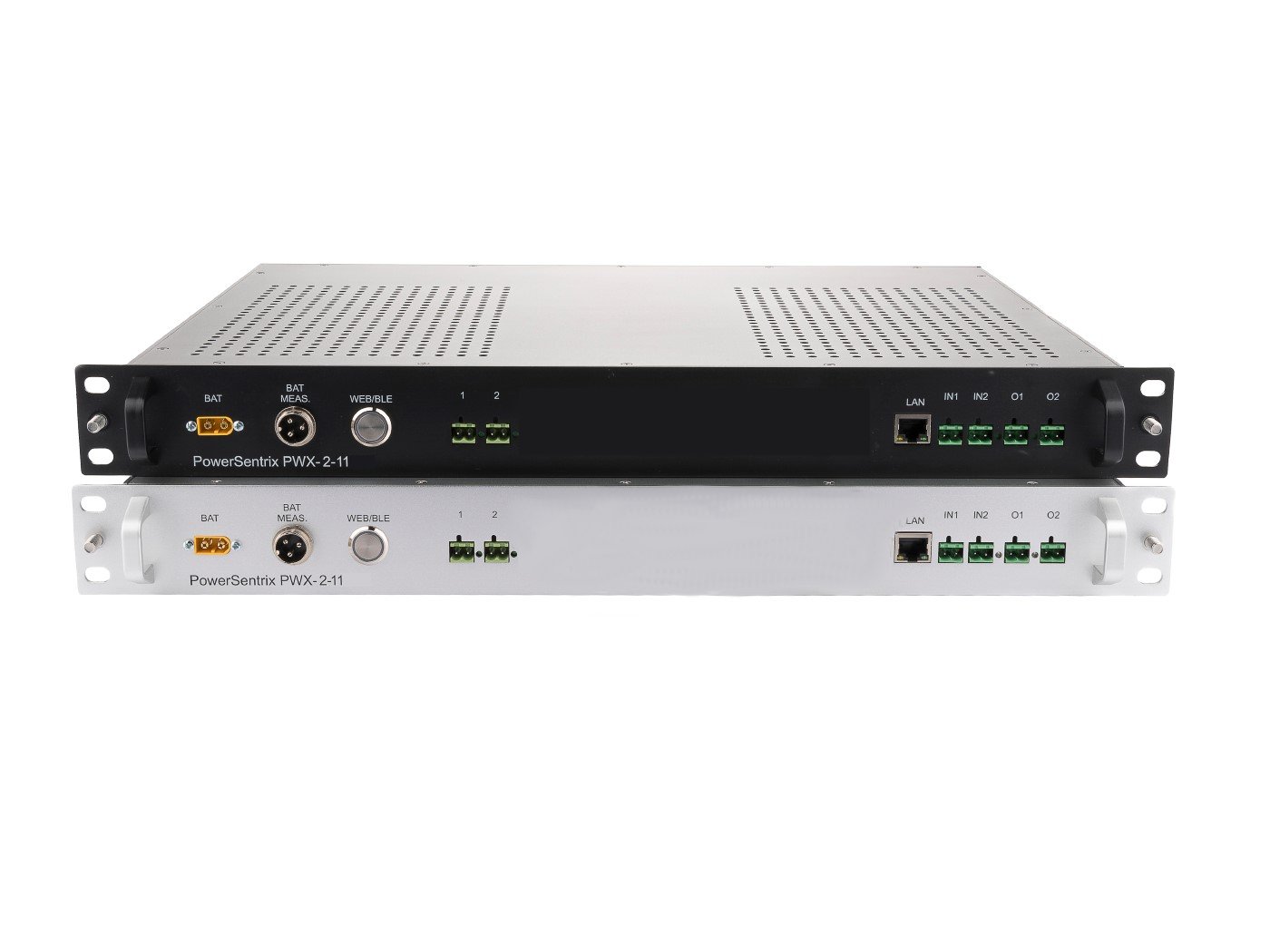
PowerSentrix PWX-2-11
Compact managed service

PowerSentrix PWX-2-11

39 €/month

A smaller managed UPS service for sites where two configurable outputs are enough.

  • Two configurable DC outputs
  • Output options for 48 V, 24 V, 12 V or 5 V
  • Local BLE installer mode included
  • Central NMS available as a service
Get your solution
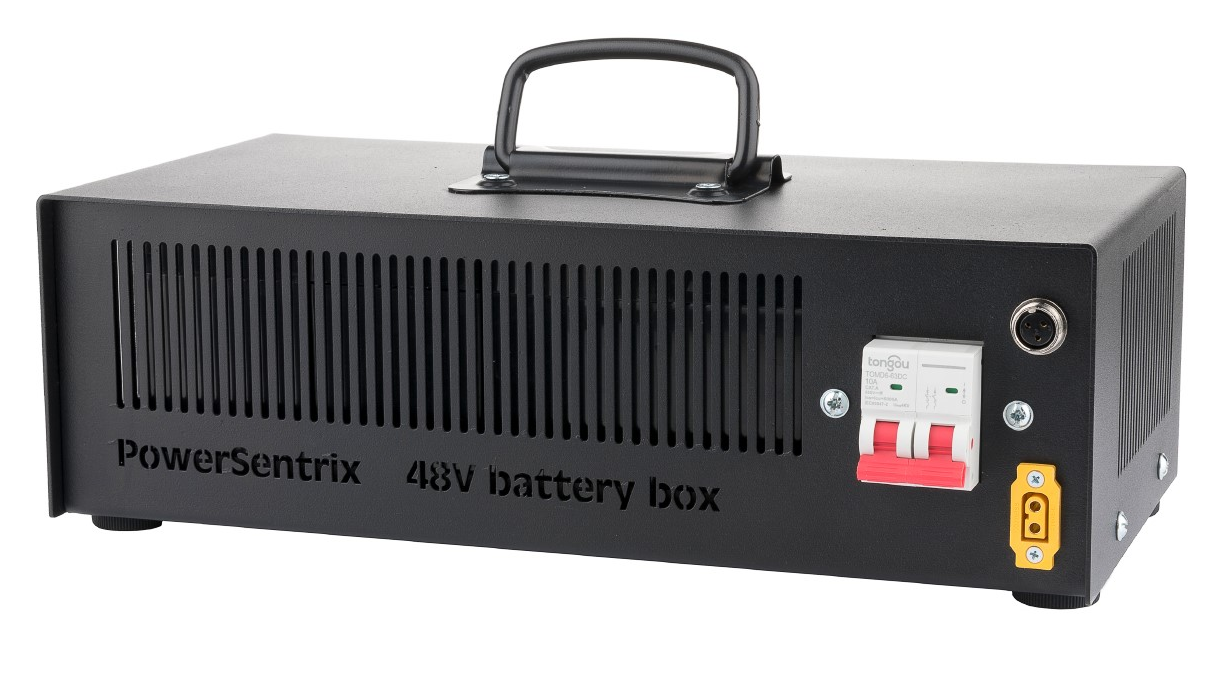
PowerSentrix 48V BatteryBox
Battery accessory

48V BatteryBox

6 €/month

Optional rental accessory for a clean 4x 12V battery installation.

  • Prepared for four 12V batteries
  • Main +/- voltage connection to the UPS
  • 3-pin link for battery monitoring

BatteryBox is not required for using the UPS. Batteries can also be connected simply, and the UPS can be supplied with a cable without connectors on the BatteryBox side.

Get your solution
Remote restart instead of a van

When a switch, router or radio freezes, restart its power port from NMS instead of sending a technician to the site.

Protect the cabinet

Door contact, smoke sensor and digital outputs can turn the UPS into a simple cabinet alarm and protect the value installed at the point.

The service pays for itself

Avoiding only a few 50-100 € trips per year can cover the monthly service and reduce outage pressure.

Quick Check

Answer a few questions before you decide

If several answers are unclear today, PowerSentrix is probably not just another box in the rack. It is a way to get power visibility, cabinet protection and lower field workload into one managed service.

01

What are my yearly costs for replacing and maintaining backup power equipment?

02

Do I really know what is happening in my network from the power point of view?

03

How much time do I or my admins spend configuring, managing and checking UPS systems?

04

Do my current UPS units have extended functions? Can they watch the rack, door contact or smoke sensor?

05

How old are my UPS units and batteries? Is it time for a generational and technological upgrade?

Service Philosophy

Not another box in the rack. A managed power layer.

PowerSentrix was designed from ISP field reality: remote sites, short outage windows, expensive technician trips and batteries that must be trusted before the next storm. The hardware is only the endpoint of the service.

Open NMS ->

Field-Driven

Built around real installation, service and outage workflows instead of laboratory assumptions.

Operationally Simple

Technicians can install, check and hand over the system quickly with BLE and clear NMS status.

No Lock-in

Local setup stays simple, while fleet visibility and remote operation are delivered through PowerSentrix NMS as a managed service.

Cabinet Protection

Door contacts, smoke sensors and relay outputs help protect the value installed in remote cabinets.

Rack-mount server infrastructure
PowerSentrix PWX-12-4422
PWX-12-4422
Service Hardware

The UPS is the service endpoint

PowerSentrix PWX-12-4422 with NMS, BLE and BatteryBox ecosystem

The 1U unit provides the managed DC power layer at the site. It measures, reports, alerts and lets you act remotely. The customer value is simple: fewer blind spots, fewer unnecessary trips and better protection of the equipment in the cabinet.

12 DC Outputs — 4 Voltage Rails

48V
4× OUT Telecom backbone power for core equipment
24V
4× OUT Managed 24 V DC branch for access devices and auxiliaries
12V
2× OUT Managed 12 V DC branch for common field devices
5V
2× OUT Managed 5 V DC branch for small electronics and adapters
Get your solution
BatteryBox

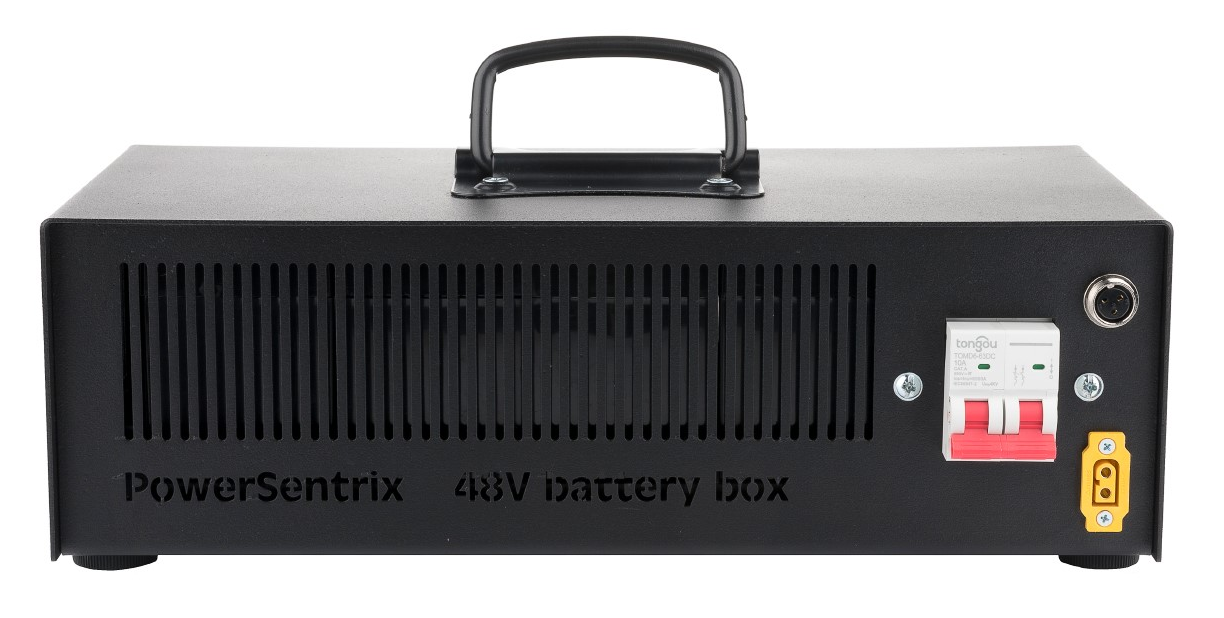
Optimized 48V BatteryBox

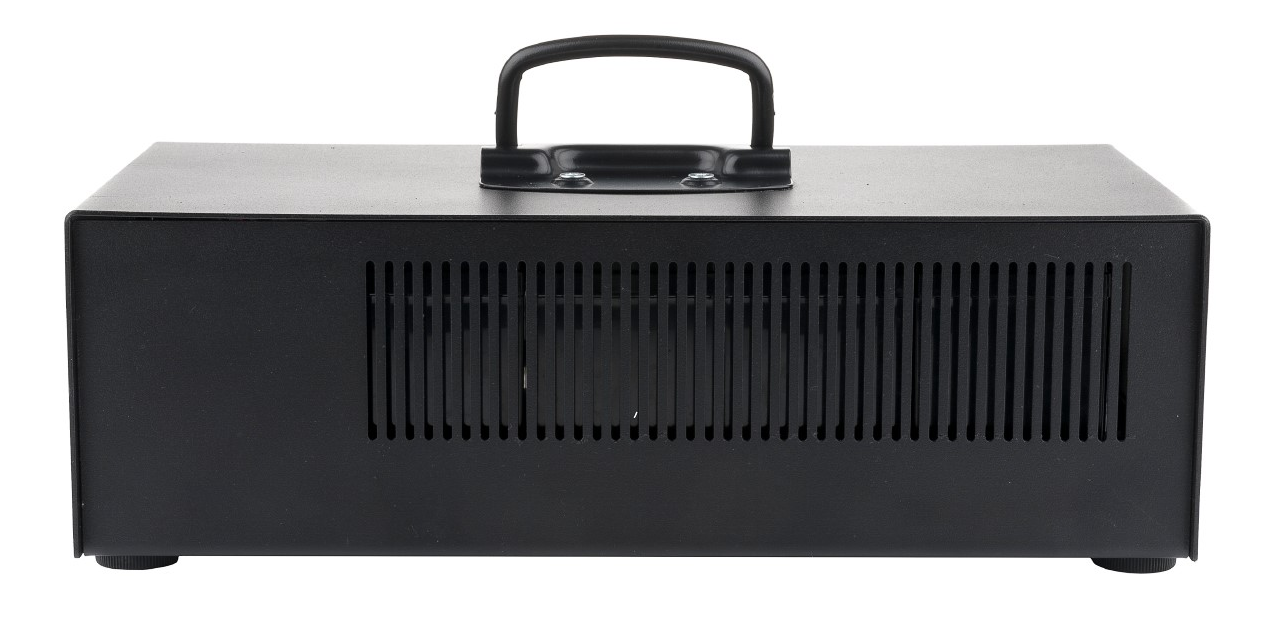
The PowerSentrix UPS system has its own optimized battery box designed for 4x 12V batteries. It keeps the battery set cleanly separated, serviceable and ready for direct connection to the UPS.

BatteryBox rental 6 € / month
4x 12V batteries

Prepared for a standard 48V battery string built from four 12V batteries.

Main +/- power link

The front panel provides the main voltage connection for the battery path between the BatteryBox and the UPS.

3-pin battery control link

A dedicated 3-pin connector links the BatteryBox with the UPS so the system can monitor and control the battery connection.

Optional accessory

The BatteryBox is not required for using the UPS. If the customer wants a simpler battery setup, batteries can be connected directly and the UPS will be supplied with a cable without connectors on the BatteryBox side.

PowerSentrix 48V BatteryBox front panel
Connectivity

Managed Access, Not DIY Infrastructure

Use local web and BLE for installation. Use PowerSentrix NMS for central fleet visibility, alerts and remote operation.

PowerSentrix NMSWeb UIBluetooth LESNMP alerts

SNMP v2c

SNMP can feed basic alerting into existing operator monitoring, while the full service experience remains in PowerSentrix NMS.

Web Management

Local web management is available for direct on-site configuration and service work.

Bluetooth LE

BLE mode is built for technicians during installation and service, without needing a laptop or network access.

LED blinking = Web mode active  ·  Button press = switch to BLE
Digital I/O

Digital I/O

Two configurable inputs and two relay outputs — set up via Web or BLE management.

INPUT
IN1 & IN2

Inputs IN1 & IN2

Connect any dry-contact sensor. Typical use: IN1 — rack door tamper alarm, IN2 — smoke detector or external alert signal.

IN1 — Rack door tamper
IN2 — Smoke detector signal
OUTPUT
O1 & O2

Outputs O1 & O2

Relay outputs triggered by input events. Example: door opens (IN1) → rack light turns on (O1), or smoke detected (IN2) → external alarm activates (O2).

O1 — Rack light relay
O2 — External alarm / lock
PowerSentrix PWX-12-4422 front panel with battery, output, LAN, input and relay connectors
Real front-panel layout

The front panel shows the BAT connector, battery measurement port, WEB/BLE button, twelve protected DC outputs, LAN, two digital inputs and two relay outputs in one compact 1U layout.

All input/output actions are configured via the built-in Web Management or the Bluetooth LE mobile app.

UPS Manage BLE / NMS
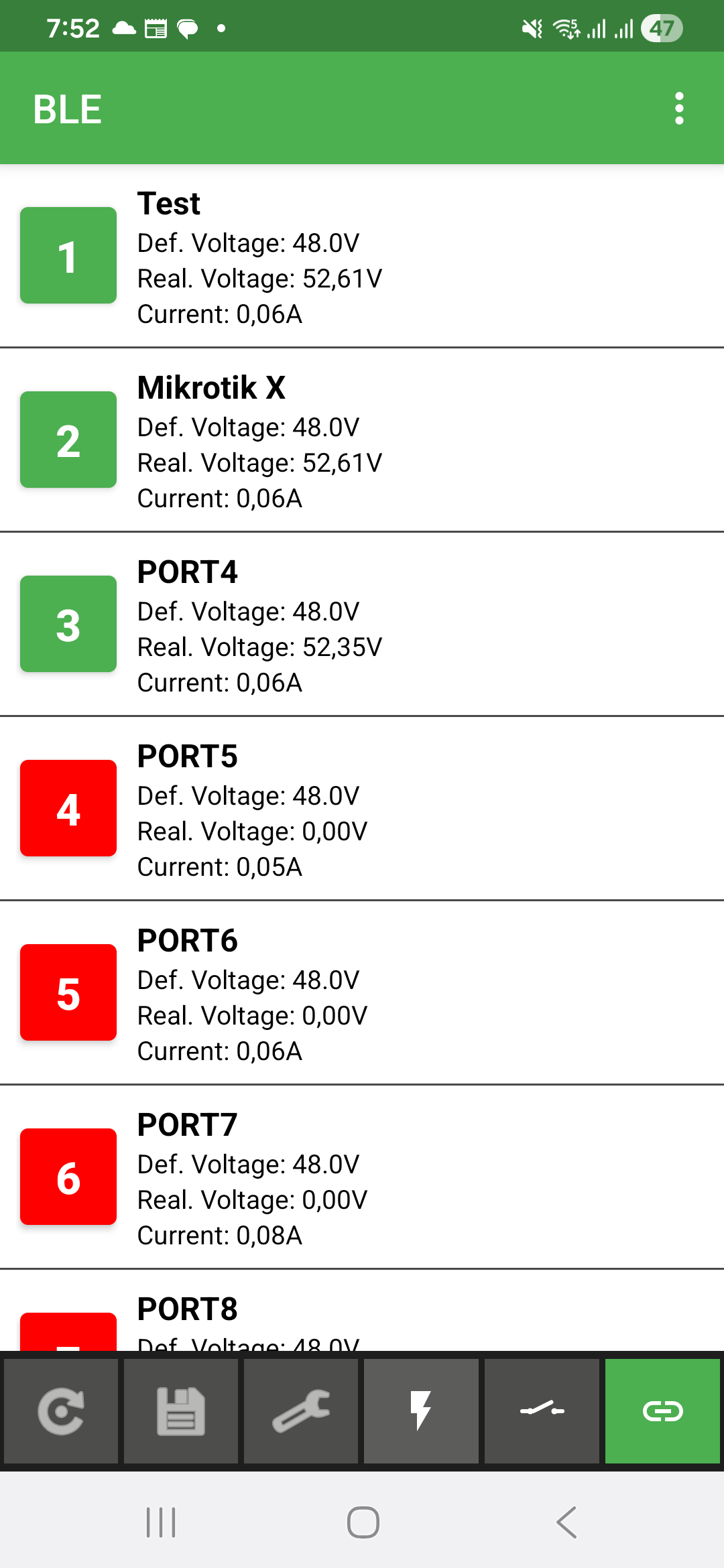
UPS Manage BLE app — zoznam portov s napätím a prúdom
Mobile App

Mobile UPS Management: BLE + NMS

UPS Manage has two modes. BLE mode is free for local setup when a technician is next to the UPS during installation or service. NMS mobile mode is part of the paid central management service and shows the same live fleet status as the web NMS.

BLE Local Mode

Connect directly to the UPS over Bluetooth LE when you are physically near the unit. No LAN, no IP address and no laptop are required for first setup.

Installation & Diagnostics

During installation the technician can discover the DHCP address, set a static IP, check measurements and verify every output before leaving the site.

NMS Mobile Mode

Log in to PowerSentrix NMS from the mobile app and see live UPS fleet state remotely. This central mobile view belongs to the NMS service.

Port Control & Restart

Control individual output ports locally via BLE or remotely through NMS, including safe restart actions for connected equipment.

PowerSentrix NMS

PowerSentrix NMS turns UPS hardware into a managed service

PowerSentrix NMS at nms.powersentrix.com gives operators one place to monitor many UPS units, see live state across sites and react before a small power problem becomes an outage. Central web NMS and mobile NMS are paid service features.

Open NMS

UPS initiates outbound HTTPS · port 443 only · no inbound ports required

Central NMS as a Service

Local web management is free on the UPS. Central fleet management in PowerSentrix NMS is a service priced at 4 €/month per device, with the first year included in the rental model.

Managed NMS, not another project

PowerSentrix NMS provides the central dashboard, history, alerts and mobile fleet view as a service, so the operator does not need to build and maintain its own UPS platform.

SMS & Email Failure Alerts

If a total power failure occurs and the UPS itself cannot send a warning in time, PowerSentrix NMS detects the lost connection and notifies you via SMS or email.

No Server on Your Side

PowerSentrix NMS runs on our infrastructure. You do not maintain a VPS, Docker stack or monitoring server for UPS fleet visibility.

ReadOnly or ReadWrite Access

Concerned about unauthorised control? Set the UPS locally to ReadOnly mode — NMS can display live data but cannot execute any commands on the unit.

Firewall-Friendly — Port 443 Only

The UPS initiates an outbound HTTPS connection to nms.powersentrix.com. No inbound rules, no VPN, no SSL tunnel setup. Just allow outbound port 443 on your firewall.

"Built by ISP engineers for real ISP networks."

Downloads

Support & Service Documents

Customer-facing documents for installation, service and daily operation. Internal hardware composition and JSON API documentation are not part of the public service presentation.

Get PowerSentrix as a managed service

Tell us how many sites and UPS units you need and we will prepare the right managed service setup for your network.

Configure your request

Requested equipment

PowerSentrix PWX-12-4422
PowerSentrix PWX-2-11
48V BatteryBox

Contact and billing details